
Our Event Tickets Plus app simplifies on-site ticket validation and attendee management. It is available for mobile devices.
Setting up the App
Get the app: iOS App Store and Google Play Store
Once the app is installed on your device, you can connect to the app in one of two ways:
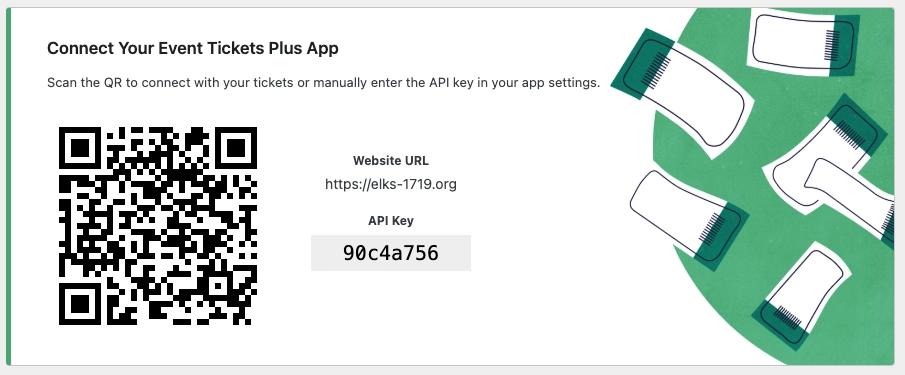
- Scan this QR code on your mobile device to set up the app. Alternatively, you can set it up manually by opening the app on your mobile device and following the prompts to enter your API Key and website URL.
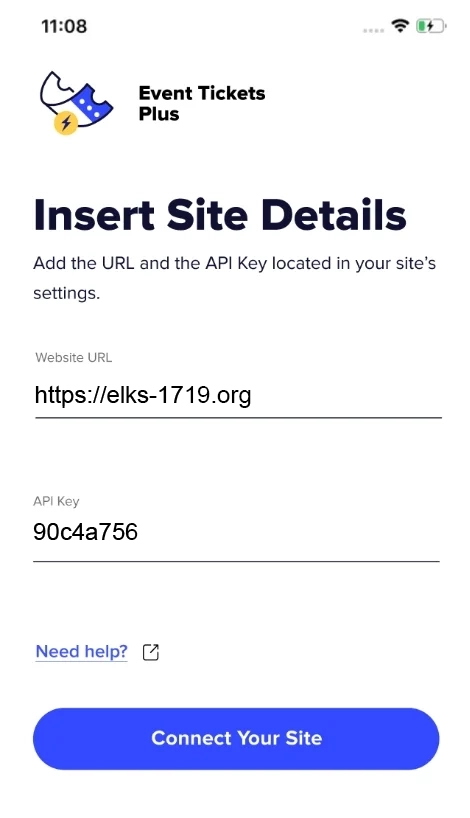
- You will see the screen below on your device. If you have scanned the QR code, the information will be pre-populated. If you are setting it up manually, you can do so here.
To check in attendees, you must have internet access on your device. For best results, we recommend connecting to a Wi-Fi network.